
Getting started
What the game is, what you need and how to set up your hero in a minute.
Desktop Trade Heroes is a free game for Windows. A pixel hero walks on your taskbar while you trade on Solana the way you always do. Your trades show up over your hero, every token is a world full of other holders, and every world has a boss that your buys hit.
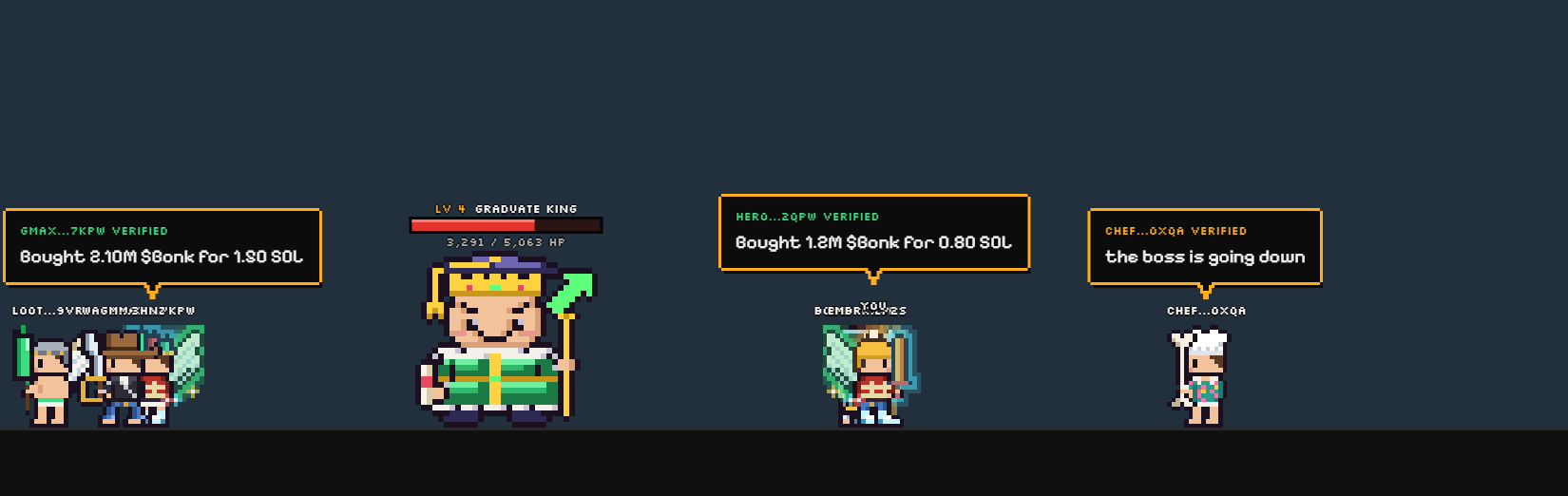
What you need
- A computer with Windows 10 or 11.
- The Solana wallet you trade with. Any wallet that can sign a message works.
- Nothing to pay. The game is free; item boxes are an optional extra.
Set up in a minute
- Install the game from the download page, which shows every step. It runs in the background and updates itself.
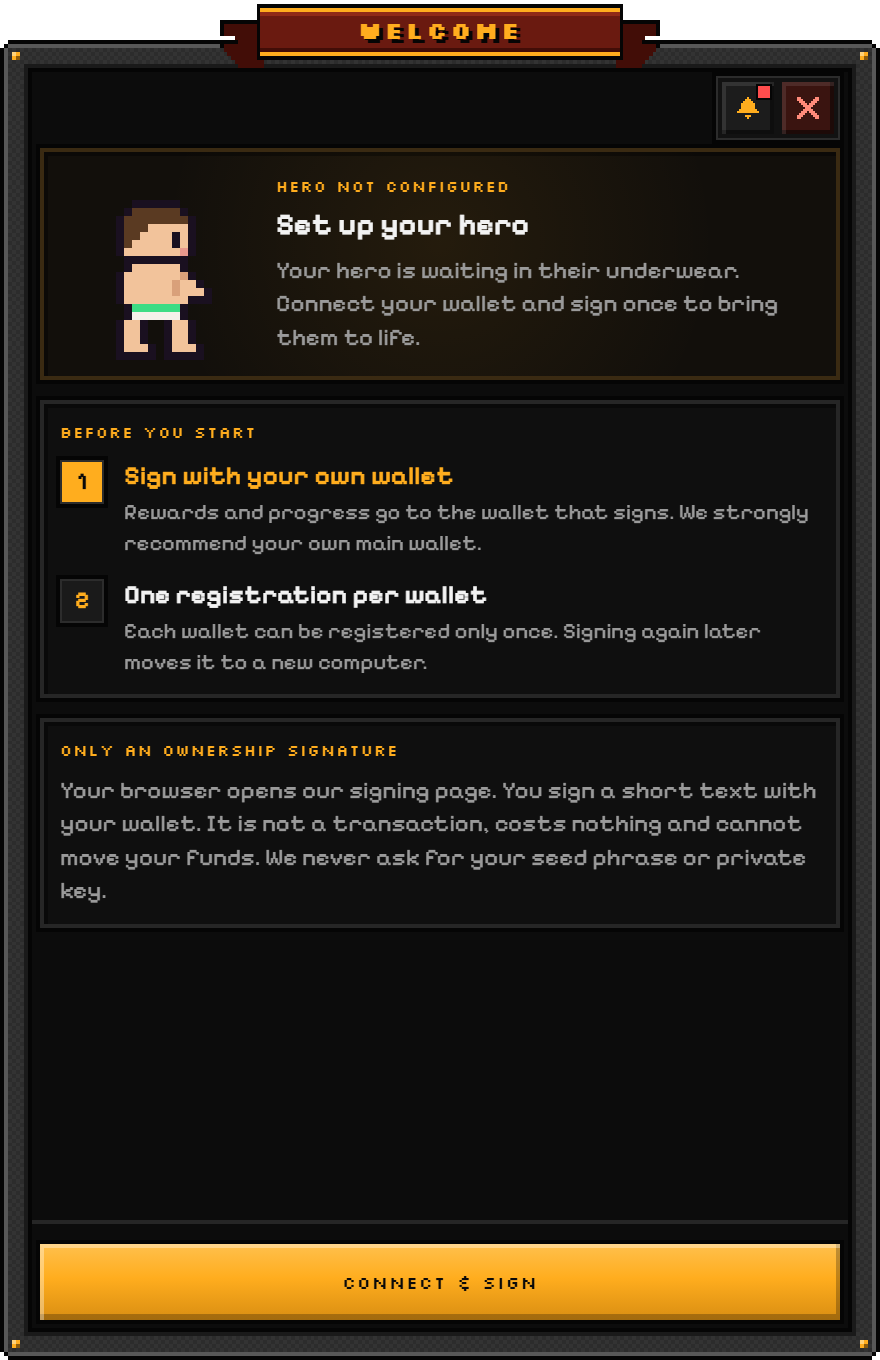
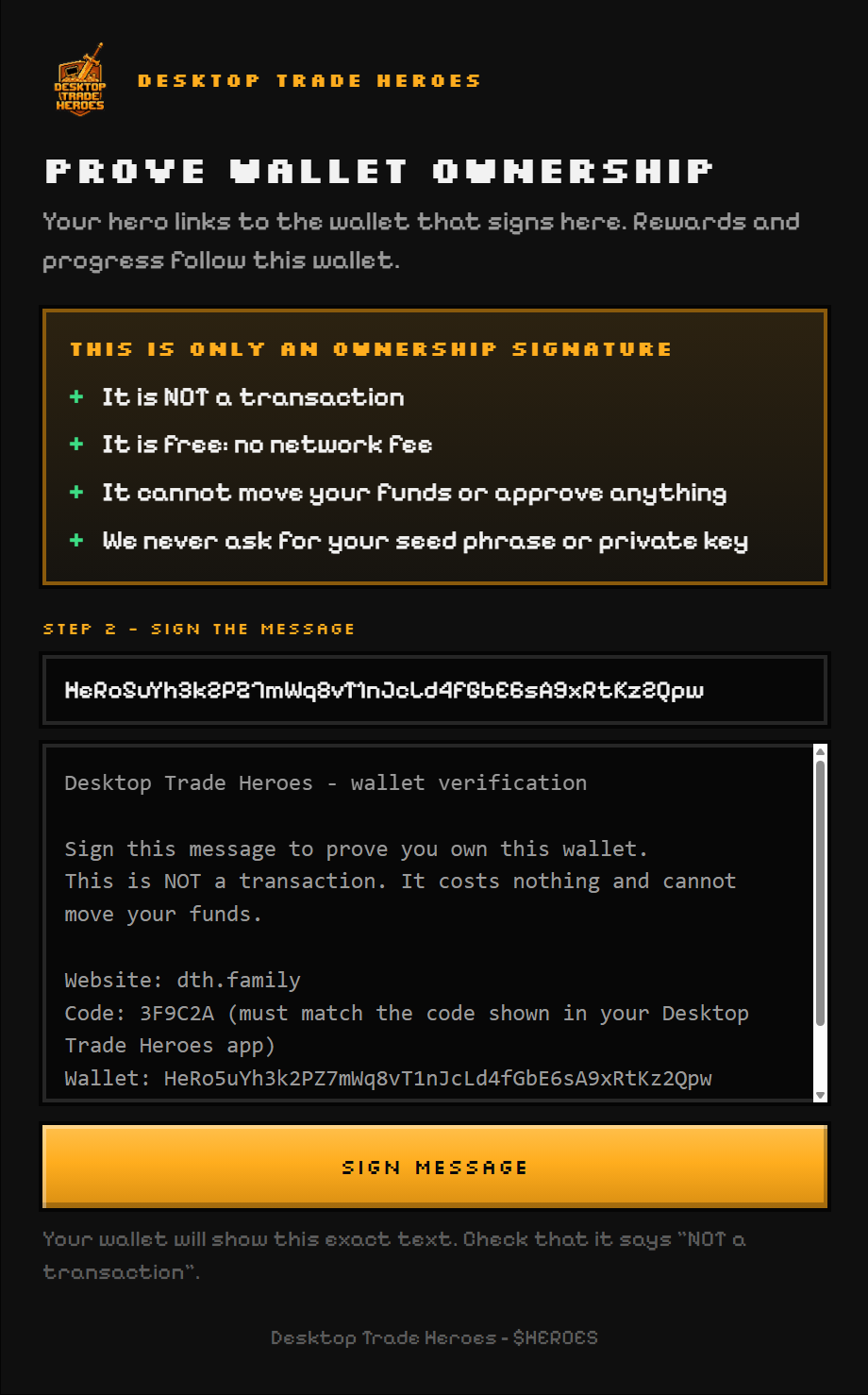
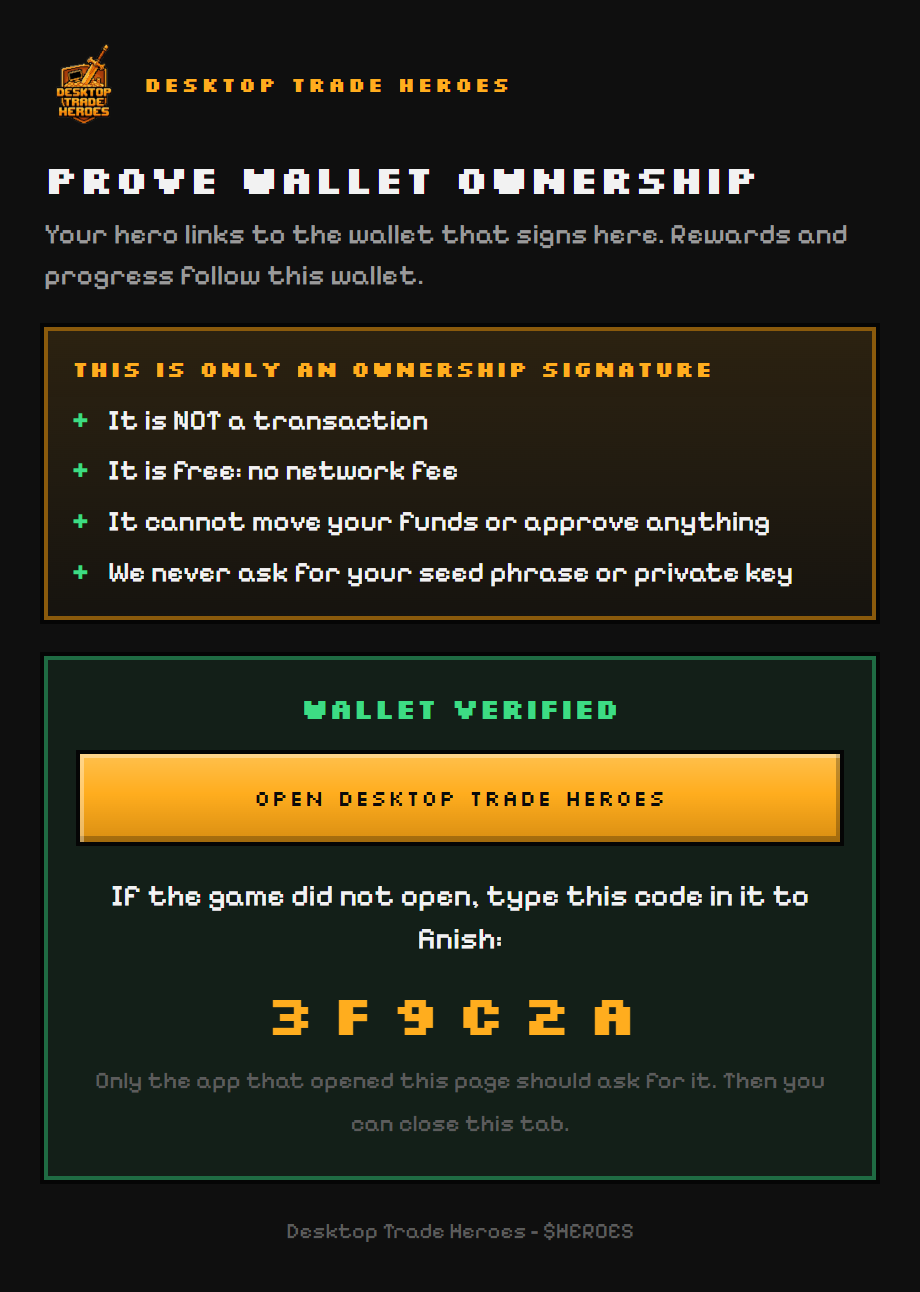
- Prove your wallet. The setup window opens on the first start. A page on dth.family opens in your browser, where your wallet signs one short message. That proves the address is yours. It is not a transaction and costs nothing. The page then shows an "Open Desktop Trade Heroes" button that finishes the link, and a six-character code to type in the game if the button does not open it.
- Dress your hero. Every hero starts in underwear with a free starter weapon. Gear comes from world bosses and item boxes.
- Join a world. Paste a token you hold or trade, or pick one of the busy worlds. Now trade as usual and watch your hero.
Where to go next
- Your hero on the desktop: clicks, the menu and the settings.
- Token worlds and World bosses: where the game happens.
- Items and stats: what your gear does.