
Desktop Trade Heroes for Windows
Free to play. One file, one minute, and a hero walks your taskbar.
Scanned by VirusTotal: see the report for version 0.1.6. The file is identified by its SHA-256, so the report is about exactly this installer.
Check the file (SHA-512 and SHA-256)
After the download, run this in PowerShell inside your Downloads folder. The hash it prints must be exactly:
Get-FileHash .\DesktopTradeHeroes-Setup-0.1.6.exe -Algorithm SHA512B56D7BF5D980411FF721B576CB1122AA8740291F08DCE33C0CA1BC069E865C65E58F2E7D9CB07600112E67130218C62E50F38952D219D950C34B914005B7E7D7The same with SHA-256, which VirusTotal uses:
Get-FileHash .\DesktopTradeHeroes-Setup-0.1.6.exe -Algorithm SHA256BCB28DDC02F31CAE5D63BB3BAB6CE5370390CC932DC6297F91B6F81E6554B0B1The installer is not code-signed yet, so Windows and your browser warn about an unknown publisher once. The steps below show exactly what to click. What changed in each version


Requirements
- Windows 10 or 11, 64-bit. The game installs for your user only; no administrator rights are needed. Mac and Linux versions are coming; @x0hero announces them.
- About 400 MB of free disk space and an internet connection: the game talks to its server and reads your trades from the Solana network.
- A Solana wallet that can sign a message, such as Phantom, Solflare or Backpack, in the browser you use. The game itself never connects to it and never sends a transaction; it signs one message once to prove the address is yours. Only the optional item boxes use a burn page where your wallet approves a burn.
- Nothing to pay. Worlds, bosses, loot, the forge and the rankings are free. Item boxes are an optional extra.
Install
- Download the installer with the button above. If your browser says the file "isn't commonly downloaded" or may be dangerous, that is the missing code signature, not a virus. In Chrome open the downloads arrow, click the file and choose Keep. In Edge open the downloads list, click the three dots next to the file, choose Keep, then Show more and Keep anyway. In Firefox open the downloads panel, right-click the file and choose Allow download.
- Run the file. Windows shows the blue SmartScreen window drawn below. Click More info, then Run anyway. This happens once per download, never for the updates the game installs itself.
- Follow the setup wizard: pick a folder or keep the suggested one, click Install and then Finish. The game starts right away and puts its icon in the system tray, next to the clock.
Microsoft Defender SmartScreen prevented an unrecognized app from starting. Running this app might put your PC at risk.
More info 1App: DesktopTradeHeroes-Setup-0.1.6.exe
Publisher: Unknown publisher
First start
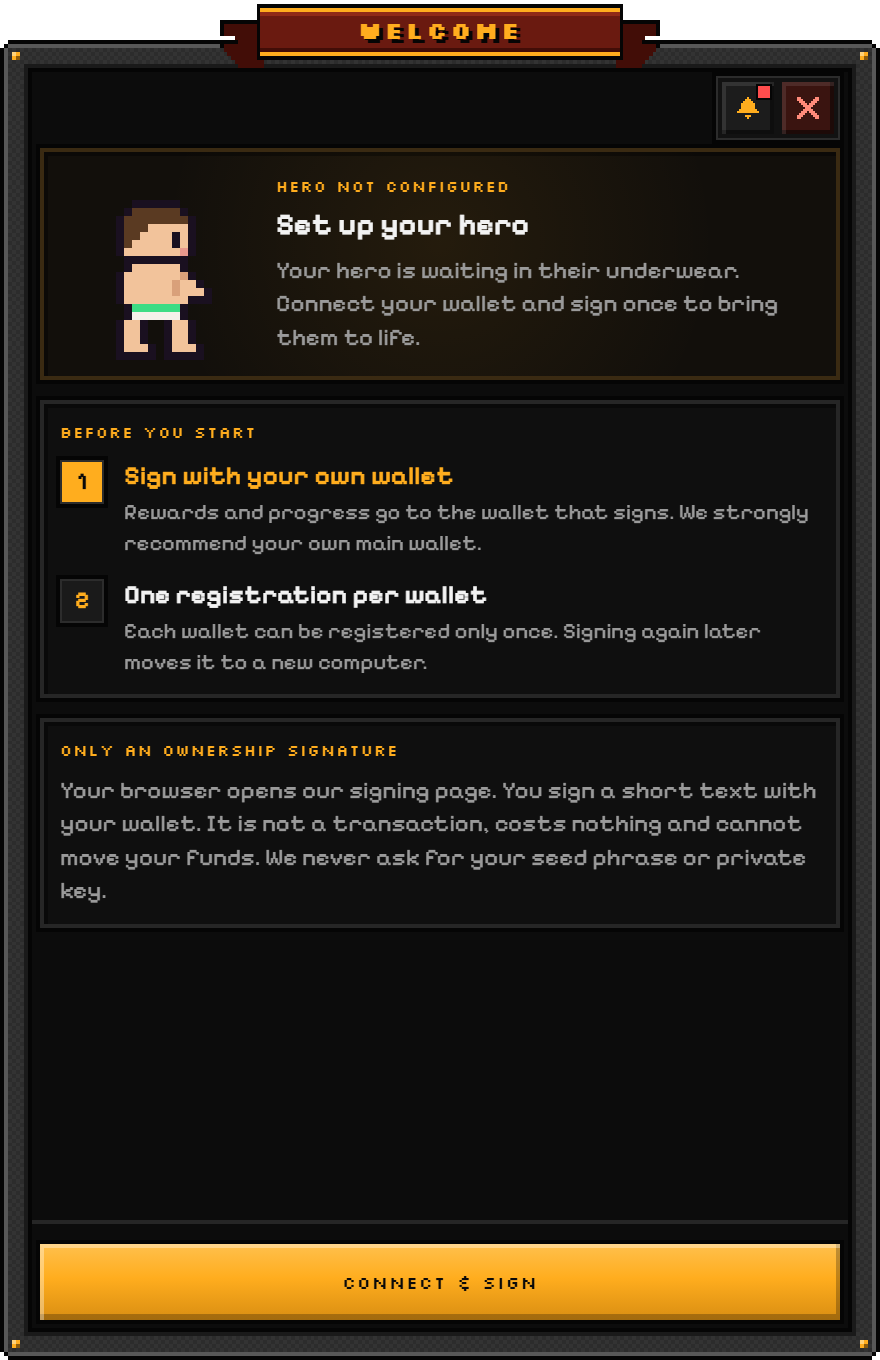
- The setup window opens by itself. Your hero is waiting in its underwear. Click Connect wallet; a page on dth.family opens in your browser.
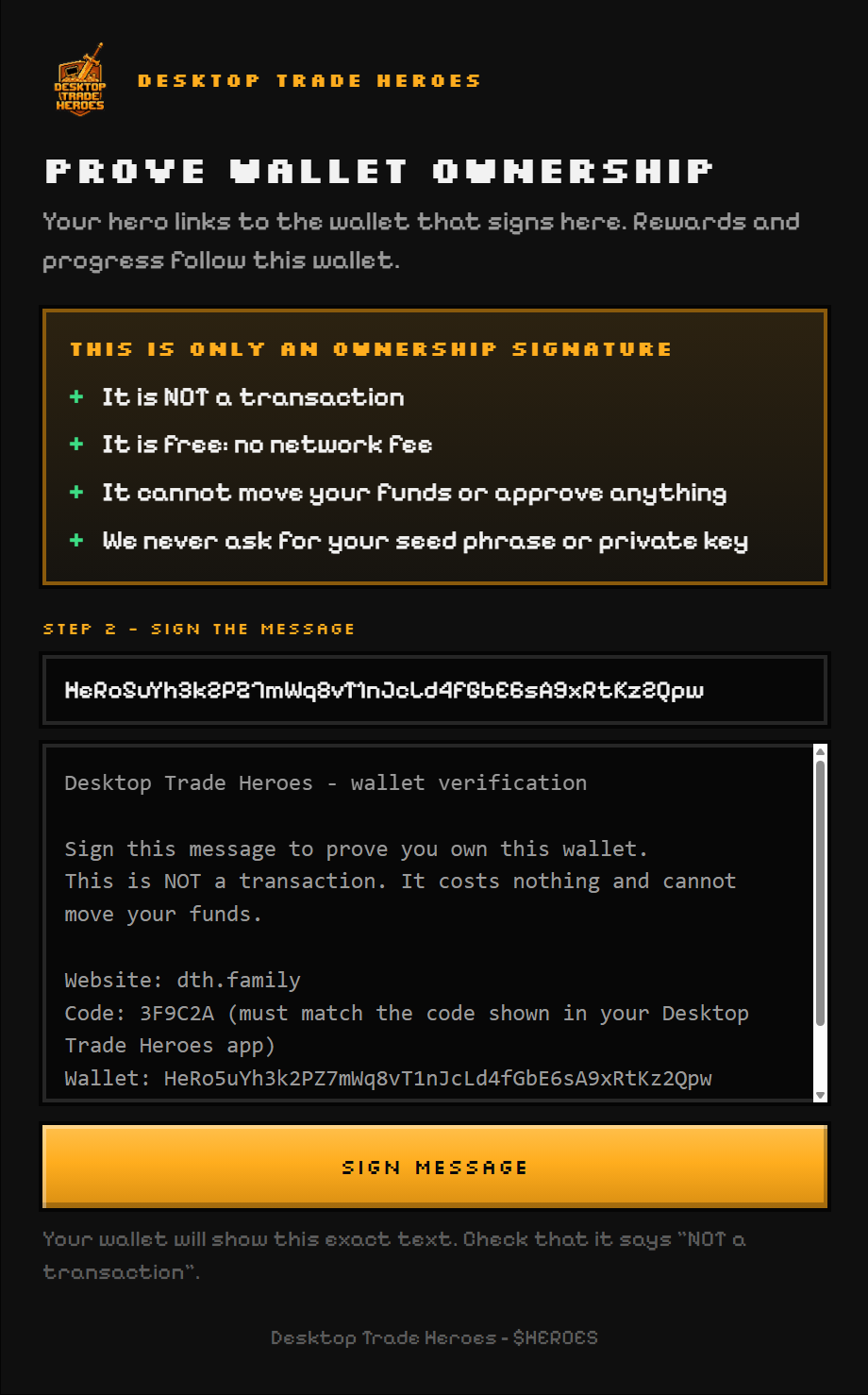
- Pick your wallet and sign the message. The wallet shows the exact text. It says "NOT a transaction", costs nothing and cannot move anything. Only sign a page that your own game opened.
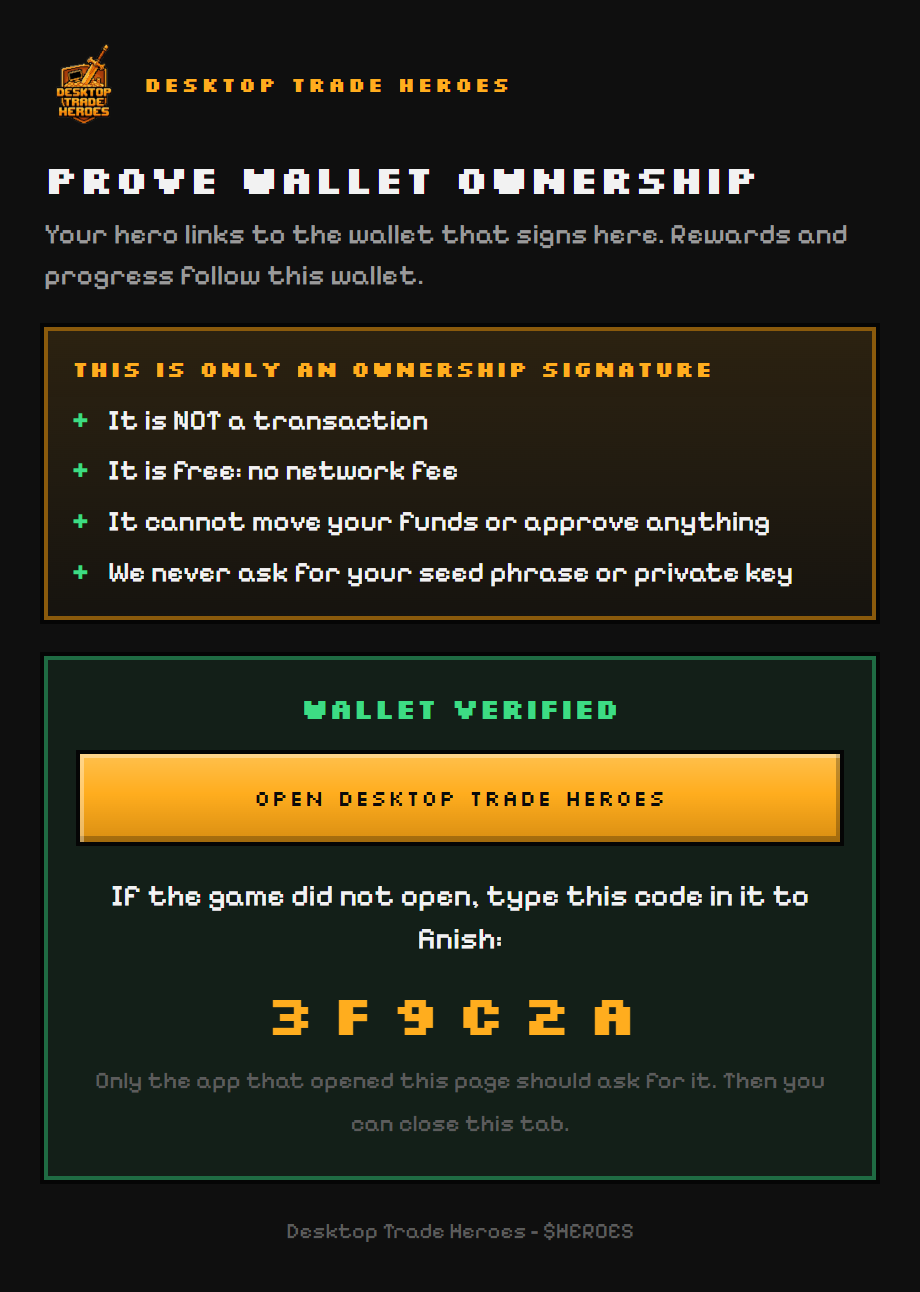
- Click "Open Desktop Trade Heroes" on the page. The game comes to the front and finishes the link by itself. If the browser asks whether to open Desktop Trade Heroes, allow it. If nothing opens, type the six-character code the page shows into the game instead.
- Meet your hero on the taskbar. It arrives with a free starter weapon in its bag. Open the menu with a click on the hero, dress it from the Hero screen and join a world from Worlds: paste a token you hold, or pick a busy one. Trade as usual; your buys hit that world's boss.
Updates
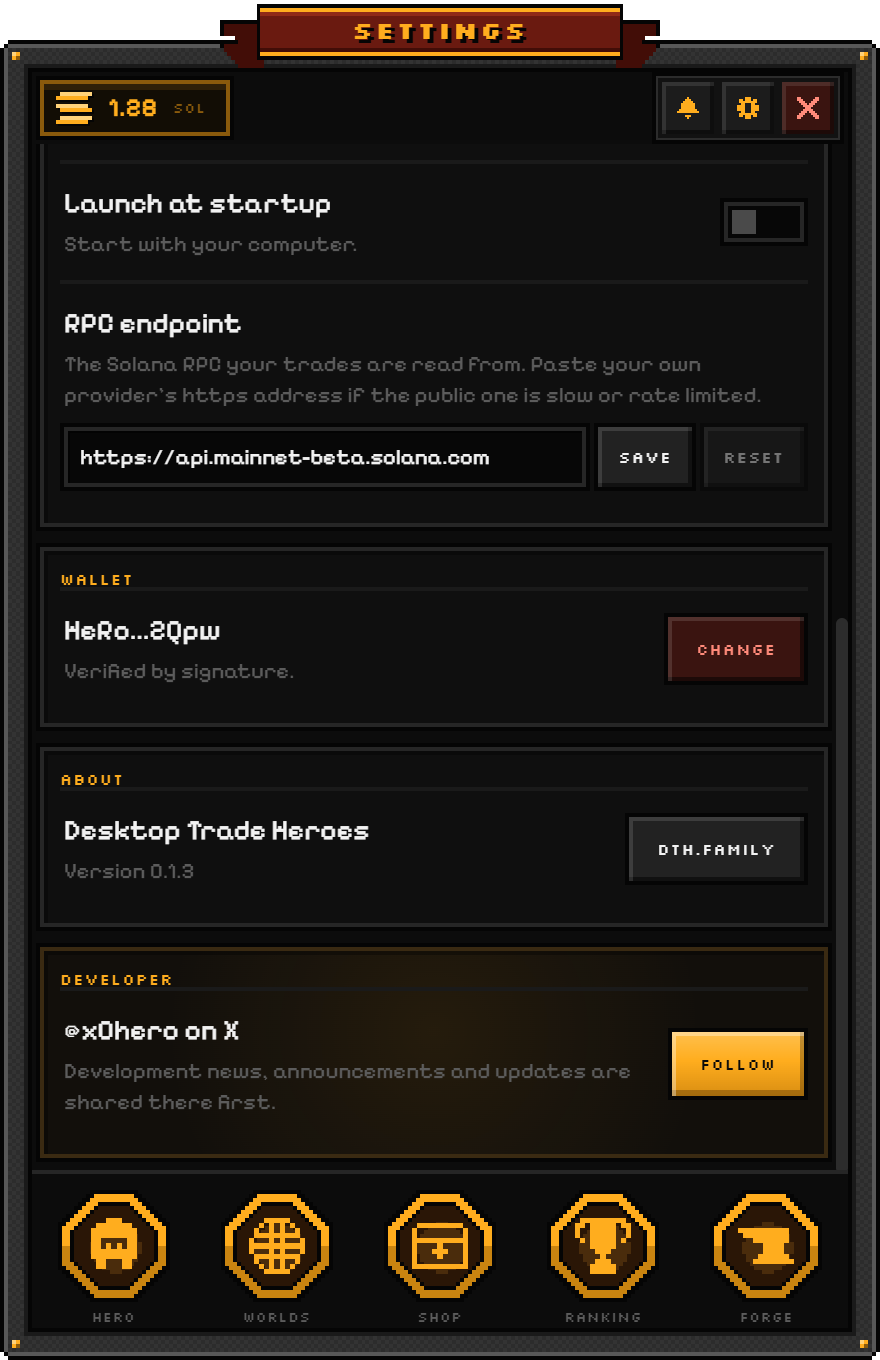
The game checks for a new version at start and every few hours, downloads it in the background and installs it when you restart: right-click the tray icon and choose Restart to update, or use the button in Settings. Updates never show the SmartScreen window again. The version you run is in Settings under About; Release notes lists what each one changed.
Uninstall
Open Windows Settings, go to Apps, find Desktop Trade Heroes and click Uninstall, or use the uninstaller in the Start menu. Your settings file stays in your user profile (AppData), so a later install finds your wallet linked again; delete that folder too if you want a clean slate. Your items, forge levels and elements are never on your PC: they belong to your wallet address and come back the moment you link it again, on any computer.
Problems
- An antivirus flags the installer. Unsigned programs sometimes get a false positive. Check the file hash above against the one on this page; if it matches, the file is ours. Report the false positive to your antivirus, and tell @x0hero so we can report it too.
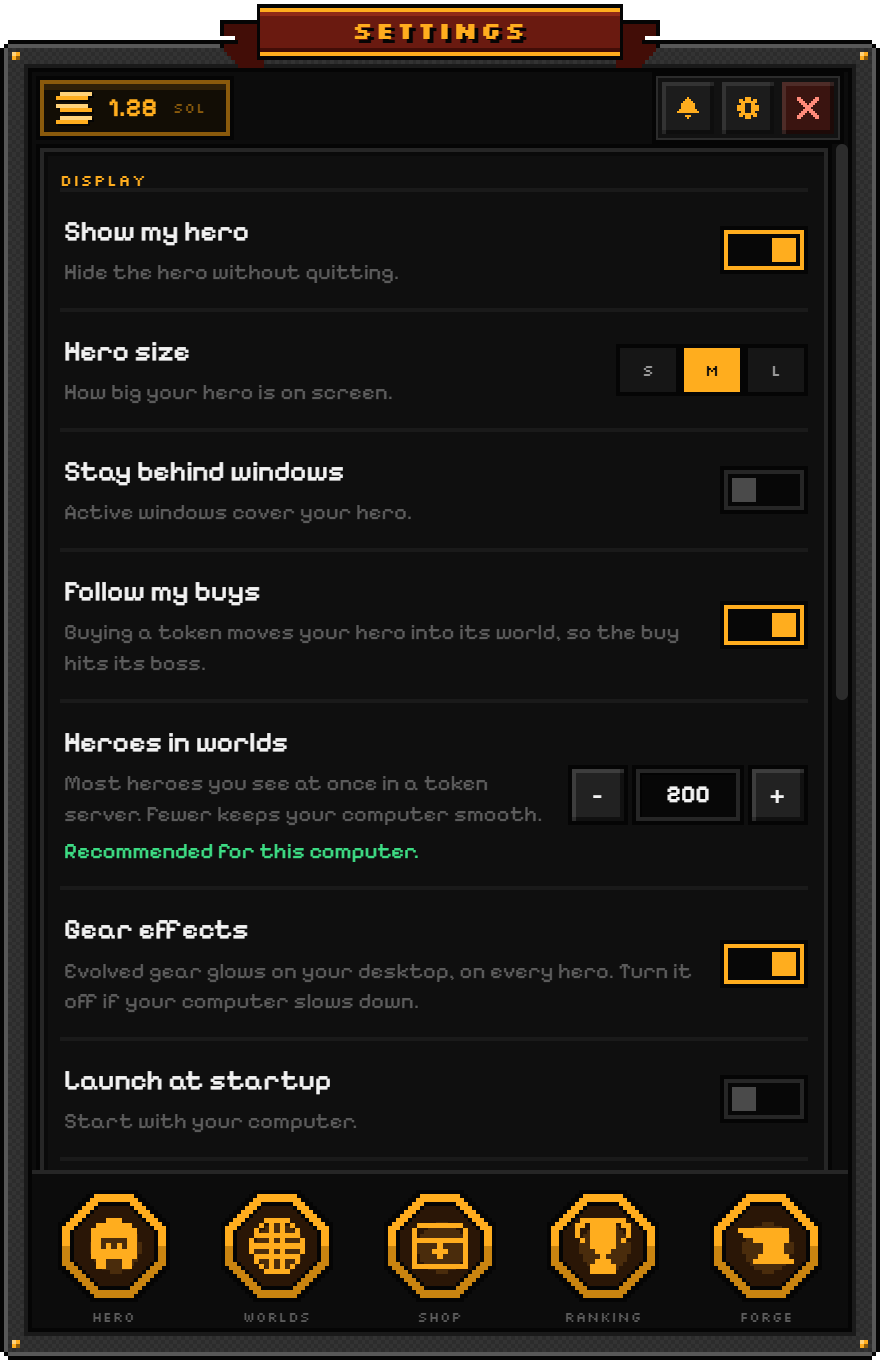
- The hero is not on the taskbar. Open the menu from the tray icon and check Settings: "Show my hero" must be on. With "Stay behind windows" on, a maximized window covers the hero; minimize it or turn the setting off.
- The signing page's button does nothing. Some browsers block links to desktop apps until you allow them. Type the six-character code the page shows into the game; the result is the same.
- Trades do not show up. The game reads them from a public Solana RPC (solana-rpc.publicnode.com), which can be slow or rate limited at times; a trade shows up with the next successful look, up to ten minutes later. In Settings, paste the https address of your own RPC provider under RPC endpoint for a steadier feed.
- Something went wrong. The game shows what happened with a Report button. It sends what you were doing and a few facts about your computer, never your keys or your files.
Safety
The game knows your public address and nothing else. It never asks for a seed phrase or a private key; the app never connects to your wallet and never sends a transaction for you. The one signature proves ownership of the address; it is not a transaction and is signed only on a page your own game opened. The single exception is optional: buying an item box opens a burn page on dth.family where your wallet shows and you approve one burn transaction. Everything you earn is stored by wallet address on the game server, not in the app. Read Wallet safety for the full picture, and get the game only from dth.family.